
Add Row
Add Element
Kozi checks and balances
update

Kozi Checks & Balances
Media Site Home

cropper
update
Add Element
  • Categories
    • Kansas Tax Compliance
    • Audit-Proofing Strategies
    • Bookkeeping Basics
    • QuickBooks Optimization
    • Industry Insights
    • Tax Deduction Deep-Dives
    • Local Business Spotlights
    • Payroll Taxes
    • Business Directory
Add Row
Add Element
cropper
update
 Kozi Checks & Balances TaxTactics News 
cropper
update
March 12.2025
2 Minutes Read

Zoho Projects Plus: Revolutionizing Project Management with AI Insights

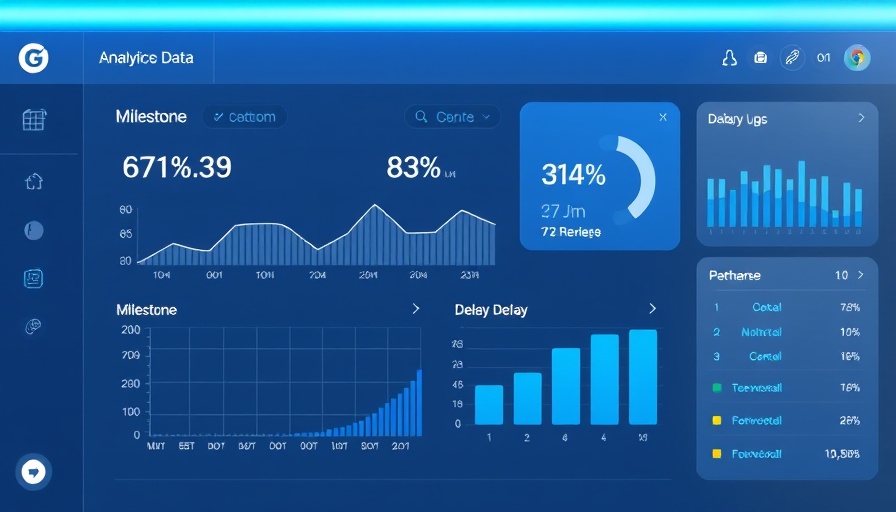
AI project management platform dashboard showing milestone delays

Unveiling Projects Plus: A Game-Changer for Project Management

In a bold move to enhance project management industries, Zoho Corporation has launched Projects Plus, a unified AI-powered platform aimed at empowering mid-sized and enterprise organizations. This innovative service integrates crucial Zoho applications—Projects, WorkDrive, Analytics, and Sprints—into a seamless system designed for real-time collaboration and data-driven decision-making.

The Driving Force Behind Projects Plus

As Zoho has experienced a significant growth spurt, with a 20% year-over-year revenue increase for its Zoho Projects in 2024 and a remarkable threefold rise in user transitions from traditional platforms like Microsoft Projects and JIRA, the launch of Projects Plus positions the company on a trajectory to redefine project management.

“Projects Plus synthesizes the latest AI-driven tools and analytics to provide an experience that meets the evolving needs of global enterprises,” explains Raju Vegesna, Chief Evangelist at Zoho. This platform shifts the paradigm from merely tracking tasks to utilizing predictive analytics for superior foresight in project planning.

AI in Project Management: Transforming Workflow

What sets Projects Plus apart is its robust AI capabilities, such as Predictive Analysis, which leverages historical data to minimize risks and optimize resources. This feature, along with real-time dashboards and automated analytics, promises to enhance every stage of project delivery, improving communication and workflow across teams.


As noted by analysts, the integration of AI not only sharpens operational efficiency but transforms project managers into strategic leaders capable of harnessing insights for improved outcomes. For example, the Quality Control Analytics ensures that all project deliverables meet set standards, significantly enhancing overall projects' success rate.

Real-World Impact: Early Adopters Speak Out

Organizations like Virtuoso have already noticed remarkable improvements. Steve Wooster, VP of Operations at Virtuoso, pointed out that “with Projects Plus, there’s increased visibility and better coordination across teams, leading to more successful project deliveries.” This testimony reflects a sentiment echoed across early adoption reports, highlighting that the roadmap to achieving business goals becomes much clearer and more manageable.

Why Your Organization Should Consider Projects Plus

For businesses pondering over their project management solutions, Projects Plus offers an attractive option that combines functionality with affordability, evidenced by its competitive pricing. Currently available globally, it offers a more cost-effective solution compared to traditional methods. Businesses keen on embracing a streamlined, AI-driven approach would benefit from adopting this advanced platform.

A Future Ready Framework

As we navigate through increasingly complex project management scenarios—often marked by remote work and distributed teams—adopting a data-driven mindset is more crucial than ever. Projects Plus is not just a tool but a fundamental shift towards a smarter future in project collaboration, where all project aspects are integrated and streamlined.

Whether your organization is looking to transition away from older systems or define your project management strategy, investigating Zoho Projects Plus could very well be the key to unlocking new levels of productivity and success.

Industry Insights

Write A Comment

*
*
Related Posts All Posts
01.16.2026

5 Effective Upselling Techniques to Boost Sales and Loyalty

Update Unlocking Sales Potential: The Art of Upselling In today's competitive business landscape, mastering upselling techniques can significantly impact revenue growth and customer satisfaction. Upselling isn't merely about encouraging customers to spend more; rather, it's about offering added value that enhances their buying experience. When executed correctly, upselling transforms transactions into relationships, bolstering both profits and loyalty. Understanding Upselling: A Customer-Centric Approach Upselling is different from cross-selling. While upselling involves persuading customers to purchase a higher-end version of the same product, cross-selling suggests related items. This distinction is essential for business owners and sales teams aiming to implement effective strategies. Upselling focuses on highlighting the increased value and benefits provided by superior products or services, thereby meeting customers' needs more effectively. Five Effective Upselling Techniques to Enhance Sales To efficiently leverage upselling in your business, consider these proven techniques: Utilize Social Proof: Customers often rely on reviews and ratings when making purchasing decisions. By showcasing higher-rated alternatives during the upselling process, you can enhance customer confidence. For example, if a customer shows interest in a product, present them with a similar item that has better ratings, emphasizing its additional features and customer satisfaction. Implement Contextual Prompts: Timing is everything in upselling. Instead of bombarding customers with offers at random times, consider using contextual prompts based on their activities. For example, if a user reaches the limits of their current plan, trigger an upgrade prompt that directly addresses their needs. Create Bundled Offers: Combining complementary products into a package deal can entice customers to purchase more. By presenting a collection of items at a reduced price, businesses can increase the average transaction value while making customers feel like they're receiving exceptional value. Leverage Limited-Time Offers: Applying urgency through limited-time discounts or offers can drive customers to consider upselling as a more immediate choice. By creating a time-bound incentive, customers are more likely to feel compelled to take advantage of the offer before it disappears. Enhance Product Comparisons: Presenting a side-by-side comparison of the desired product versus a higher-end version can clarify the added value of opting for a premium item. This technique allows customers to visualize the benefits they could receive, making it easier for them to justify the additional expense. The Emotional Aspect of Upselling Effective upselling goes beyond just presenting features; it taps into the emotional aspects of shopping. Customers appreciate feeling understood. By offering products that resonate with their needs or preferences, businesses can contribute to an enjoyable shopping experience. Upselling should enhance this relationship, indicating to customers that their satisfaction is a priority. Future Trends in Upselling: What to Expect As technology continues to evolve, so too will upselling strategies. The integration of artificial intelligence and personalized marketing will play a pivotal role in tailoring upselling offers to individual customer behaviors and preferences. Businesses that adapt to these emerging technologies will be positioned to seize greater revenue opportunities while simultaneously amplifying customer satisfaction. In conclusion, effective upselling is about understanding customers' needs and providing them with options that enhance their experience. Utilizing proven techniques can lead to increased sales, higher customer lifetime value, and stronger brand loyalty. As businesses navigate the upselling landscape, focusing on value rather than pressure will ensure sustained success.

01.15.2026

Unlocking Consumer Behavior: The Surprising Ways Taxes Affect Choices

Update The Unseen Forces: How Taxes Shape Our Choices Taxes fundamentally serve the purpose of funding government activities, but they also weave an intricate web of influence over consumer behavior in surprising and sometimes unintended ways. The effects of taxation are visible not only in economic indicators but also in our daily choices, from the architecture we dwell in to the vehicles we prefer. Historical Insights: Taxes and Their Quirky Outcomes Take, for instance, the infamous Beard Tax of 1698 instituted by Peter the Great of Russia. His attempt to Westernize Russia led him to tax facial hair, compelling men to either shave or pay to keep their beards. While this was an explicit means to change behavior, more subtle tax incentives shape our surroundings in profound ways. In 18th and 19th century England, a property tax based on the number of windows resulted in the unusual practice of bricking over windows to lower tax liabilities. Similarly, in Paris, taxes levied per floor of a building led architects to innovate the Mansard roof, allowing space to flourish while avoiding tax burdens. Modern Impacts: The Chicken Tax and Consumer Behavior Consider the Chicken Tax of the 1960s. When European tariffs were slapped on US poultry, President Lyndon B. Johnson retaliated with tariffs on European light trucks. This resulted in clever manufacturing practices where companies disassembled vehicles to sidestep taxes. Today, those very tariffs still influence which vehicles are available on the market. Tax Policy Evolution: The Broader Economic Spectrum The implications of taxation extend beyond quirky historical anecdotes. Taxes influence purchasing behaviors as well. Research highlights that consumers are less likely to buy products when they see sales taxes included in the displayed price, proving how taxes can significantly sway market trends. For instance, laws that exempt children's clothing from value-added taxes in the UK encourage budget-savvy adults to purchase from 'teen' sections. Furthermore, the dynamics of capital gains taxes substantially alter investment behaviors: when tax rates are raised, the frequency of selling assets drastically declines, exemplifying how intent and response diverge within tax policy. Takeaway: Understanding the Behavioral Impact of Taxes While taxes are often seen merely as obligatory contributions, comprehending their power over our decisions—from what we wear to how we invest—can lead to more informed decisions both on personal and legislative levels. Awareness of these influences can empower consumers to leverage tax laws to their advantage. Understanding the odd but powerful ways taxes impact our lives reminds us to anticipate and analyze the incentives behind tax policy design. As history has shown us, the consequences can be anything but trivial.

01.14.2026

Why Client Loyalty Programs Are Essential for Business Growth

Update Unpacking Client Loyalty Programs: The Key to Business SuccessA client loyalty program is a structured strategy adopted by businesses to reward customers for repeat purchases, establishing a system that promotes ongoing brand engagement and retention. This systematic approach encourages customers to remain loyal, enabling businesses to enhance their overall success. Customers typically enroll in such programs to receive a unique membership ID that allows them to accumulate points based on their spending, which can later be redeemed for a variety of rewards like discounts and perks.The Anatomy of Client Loyalty ProgramsAt the core of a client loyalty program is the principle of rewarding customers for their continued patronage. Studies indicate that members of loyalty programs can spend up to 18% more than non-members—a statistic that underscores their potential financial advantages. Key aspects include:Registration Process: Customers sign up by providing personal information, which allows businesses to create a tracking account. A membership ID is then issued, facilitating point accumulation for future rewards.Point Accumulation: Most loyalty programs operate on a point-based system. Customers earn points for every dollar spent, which they can redeem for rewards after reaching certain thresholds. Some programs have tiered systems, offering heightened benefits for higher spending levels.Moreover, a well-designed loyalty program not only drives immediate customer spending but also generates valuable data regarding customer preferences, enabling businesses to tailor their marketing strategies effectively.10 Benefits of Effective Loyalty ProgramsImplementing a comprehensive loyalty program ensures that customers feel valued and encouraged to engage with a brand repeatedly. Here are a few benefits:Increased Customer Retention: Retaining existing customers is significantly more cost-effective than acquiring new ones. Loyalty programs create a long-term relationship dynamic that fosters repeat purchasing over time.Improved Customer Experience: Engaging loyalty members with tailored recommendations and rewards enhances their overall shopping experience. The richer the data collected on customer behaviors, the better the personalized interactions can be.Promotes Brand Advocacy: Happy, loyal customers often become brand advocates, influencing their social circles and driving new customer acquisitions through word-of-mouth.Detailed Customer Insights: Loyalty programs provide a wealth of customer data, enabling businesses to refine their product offerings and marketing strategies based on observed behaviors.Best Practices for Running a Successful Loyalty ProgramStarting a loyalty program requires careful consideration of its structure. Insights from successful initiatives reveal that businesses should:Clearly define the target audience to appropriately tailor the rewards and incentives offered.Create tiered rewards to incentivize higher spending and engagement.Leverage mobile technology for easy access to rewards and account management, enhancing user experience.The Future of Client Loyalty ProgramsAs consumer habits continue to evolve, loyalty programs must also adapt to meet higher expectations. Innovations in technology, such as AI-driven personalization and mobile app interfaces, are central to creating a seamless purchasing experience. Furthermore, businesses will need to focus not only on transactional rewards but also on cultivating emotional connections with their customers, which is crucial for cultivating deep loyalty.Closing ThoughtsClient loyalty programs are not just a marketing gimmick; they should be a core component of any successful business strategy. Implementing an effective program creates a win-win scenario for both businesses and consumers, enhancing customer retention while simultaneously boosting revenue. As trends lean towards personalized customer experiences, leveraging advanced technology and data analytics will be crucial for brands aiming to cultivate customer loyalty successfully.To explore how you can design and implement an effective client loyalty program, consider consulting with industry experts who can guide you through the process. The right loyalty program not only rewards your customers but can also become a cornerstone for your business growth in the competitive market.

Terms of Service

Privacy Policy

Core Modal Title

Sorry, no results found

You Might Find These Articles Interesting

T
Please Check Your Email
We Will Be Following Up Shortly
*
*
*